
Cert Decoder
When a site shows a certificate error or you are about to install a new certificate, you need to know exactly what is inside it: which names it covers, when it expires, what key it uses and who issued it. Paste a PEM certificate or CSR below and this decoder parses it in your browser — nothing is sent anywhere — and flags common problems like expiry and missing names.
- Free to use
- No sign-up
- Runs in your browser
Certificate and CSR decoder
TLS Certificate Operations Pack
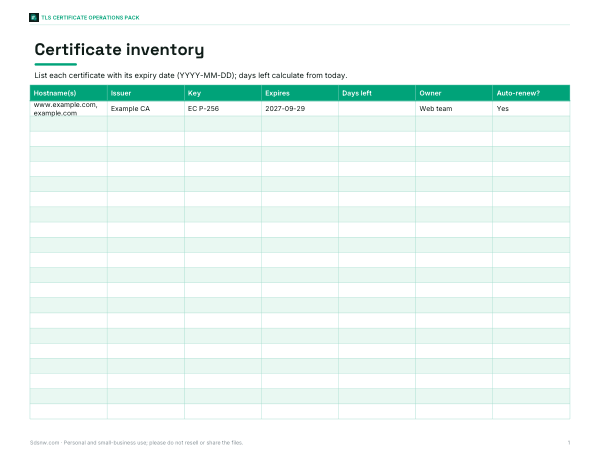
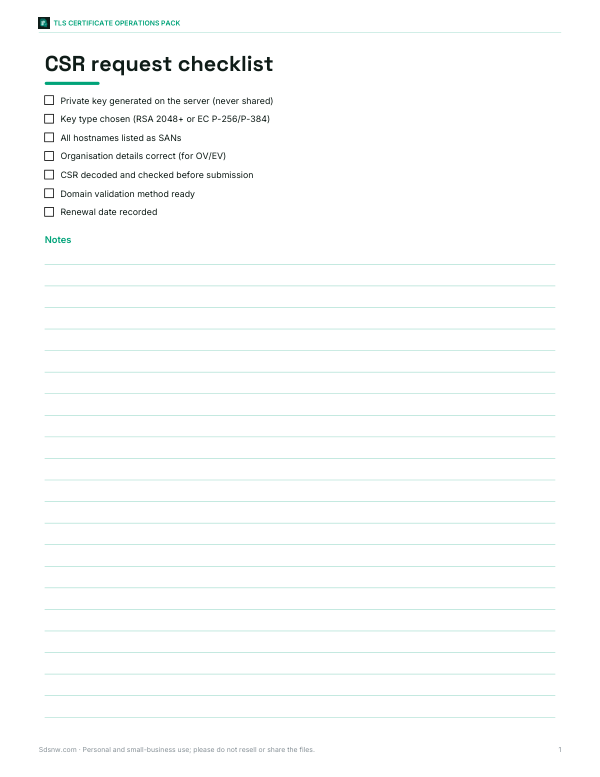
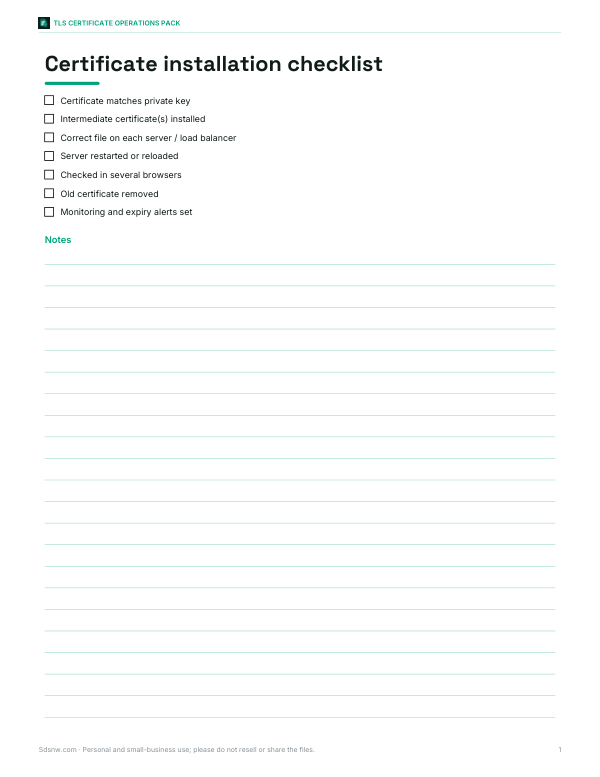
Printable certificate management sheets: certificate inventory and renewal tracker, CSR request checklist, installation checklist and a common errors reference.
- Inventory and renewals (XLSX)
- CSR checklist (PDF/DOCX)
- Install checklist (PDF/DOCX)
- Errors reference (PDF)
Formats: XLSX, PDF, DOCX. Instant download after payment (link valid 72 hours, up to 5 downloads). AI-assisted: the templates were drafted with AI help and reviewed and laid out before publishing.
$3.00 USD, one-time 4 files · about $0.75 each
- Instant download
- 7-day refund
- Secure checkout by Stripe
7-day money-back guarantee. Full refund within 7 days of purchase, even after you download.
Free sample: CSR Request Checklist (PDF, 63 KB)
Full refund within 7 days — see the refund policy and license.
Free printables
Single sheets you can print right now, no sign-up. The full pack adds every sheet in one download plus the editable files.
 Printable Certificate Errors Reference Chart
What’s inside a certificate
| Field | What it tells you |
|---|---|
| Subject | Who the certificate was issued to — often just a CN (common name) for domain-validated certificates |
| Subject Alternative Names (SANs) | The hostnames (and sometimes IPs) the certificate is valid for — browsers only check this list |
| Issuer | The certificate authority (CA) that signed it; the same as the subject for self-signed certificates |
| Validity | Not-before and not-after dates |
| Public key | Algorithm and size (for example RSA 2048 or EC P-256) |
| Signature algorithm | How the issuer signed it (for example SHA-256 with RSA) |
| Key usage / extended key usage | What the key may be used for (TLS server, client, code signing…) |
| Basic constraints | Whether it’s a CA certificate |
| Fingerprints | Hashes of the whole certificate, used to identify it exactly |
Common certificate errors and what to check
| Browser error | Check in the decoder |
|---|---|
| Certificate expired / not yet valid | Valid from / until and your device clock |
| Name mismatch | Is the hostname in the SAN list? Wildcards cover one level only (*.example.com covers www.example.com, not a.b.example.com) |
| Untrusted issuer / self-signed | Issuer — is it a public CA? Is the intermediate certificate installed on the server? |
| Weak key or signature | RSA keys should be at least 2048 bits; SHA-1 signatures are no longer trusted by browsers |
| Wrong certificate on the server | Compare the fingerprint with the file you installed |
PEM, DER, CRT and CSR
A PEM file is Base64 text between BEGIN and END lines; DER is the same data in binary. Files ending .crt, .cer or .pem are usually certificates; .csr is a certificate signing request — the file you send to a CA, containing your public key and requested names but no issuer or dates. Private keys (.key) should never be pasted into websites; this decoder doesn’t need one, and you should keep private keys on the server.
Worked example
The sample certificate loaded on this page was generated for this tool. Decoded, it shows subject CN=www.example.com with organisation “Example Widgets Inc”, the same issuer (so it is self-signed), a one-year validity period, an EC P-256 key signed with ECDSA with SHA-256, and SANs for www.example.com and example.com. The hostname check confirms example.com is covered, while a name like shop.example.com is not. Its key usage is digital signature and its extended key usage is TLS server authentication.
Getting a certificate to decode
- From a browser: click the padlock → connection is secure → certificate details → export (PEM or Base64).
- From a server: open the certificate file configured in your web server.
- From the command line: openssl s_client -connect example.com:443 -showcerts prints the chain.
- For a CSR: open the .csr file created when you generated the key.
Validation levels
Public TLS certificates come in three validation levels. Domain-validated (DV) certificates prove control of the domain and usually contain only the domain name in the subject. Organisation-validated (OV) certificates add a verified organisation name, and extended-validation (EV) certificates involve more thorough checks of the organisation. All three provide the same encryption; they differ in what the CA has checked. The decoder shows the organisation fields in the subject when they are present.
Certificate chains
Browsers trust a site certificate because it is signed by an intermediate certificate, which is in turn signed by a root certificate that ships with the browser or operating system. The server must send its own certificate plus the intermediate(s); if the intermediate is missing, some browsers show an “incomplete chain” error even though the certificate itself is fine. Paste each certificate in the chain into the decoder to confirm that each one’s issuer matches the next one’s subject, and compare the Authority Key Identifier of one with the Subject Key Identifier of the next.
Key types and sizes
| Key | Typical use | Notes |
|---|---|---|
| RSA 2048 | Widely compatible default | Minimum recommended size for public certificates |
| RSA 3072 / 4096 | Longer-term keys | Slower handshakes, larger certificates |
| EC P-256 | Modern default for many sites | Small keys, fast, widely supported |
| EC P-384 | Higher security margin | Slightly slower than P-256 |
| Ed25519 | Some internal and SSH-like uses | Limited support for public web certificates |
Certificate lifetimes
Publicly trusted TLS certificates have maximum lifetimes set by browser and CA industry rules, and those limits have been shrinking over the years; many sites now use automated renewal with short-lived certificates. Set a renewal reminder well before the expiry date — the decoder’s “days left” figure makes it easy to check.
Privacy and security
Certificates and CSRs contain only public information, but this decoder still processes everything in your browser — nothing is uploaded. Never paste private keys into any website.
Frequently asked questions
How do I decode an SSL certificate?
Paste the PEM text (starting with -----BEGIN CERTIFICATE-----) into the decoder.
Can it decode a CSR?
Yes — paste a PEM certificate signing request to see its subject, key and requested names.
How do I check which domains a certificate covers?
Look at the Subject Alternative Names, or type a hostname into the check box.
What does self-signed mean?
The issuer and subject are the same; browsers won’t trust it unless it is installed manually.
Is it safe to paste my certificate here?
Yes — certificates are public, and decoding happens in your browser. Never paste a private key.
What is a certificate fingerprint?
A hash of the certificate (SHA-256 or SHA-1) that uniquely identifies it.
Can it decode a certificate chain?
Paste one certificate at a time; the first PEM block in the box is decoded.